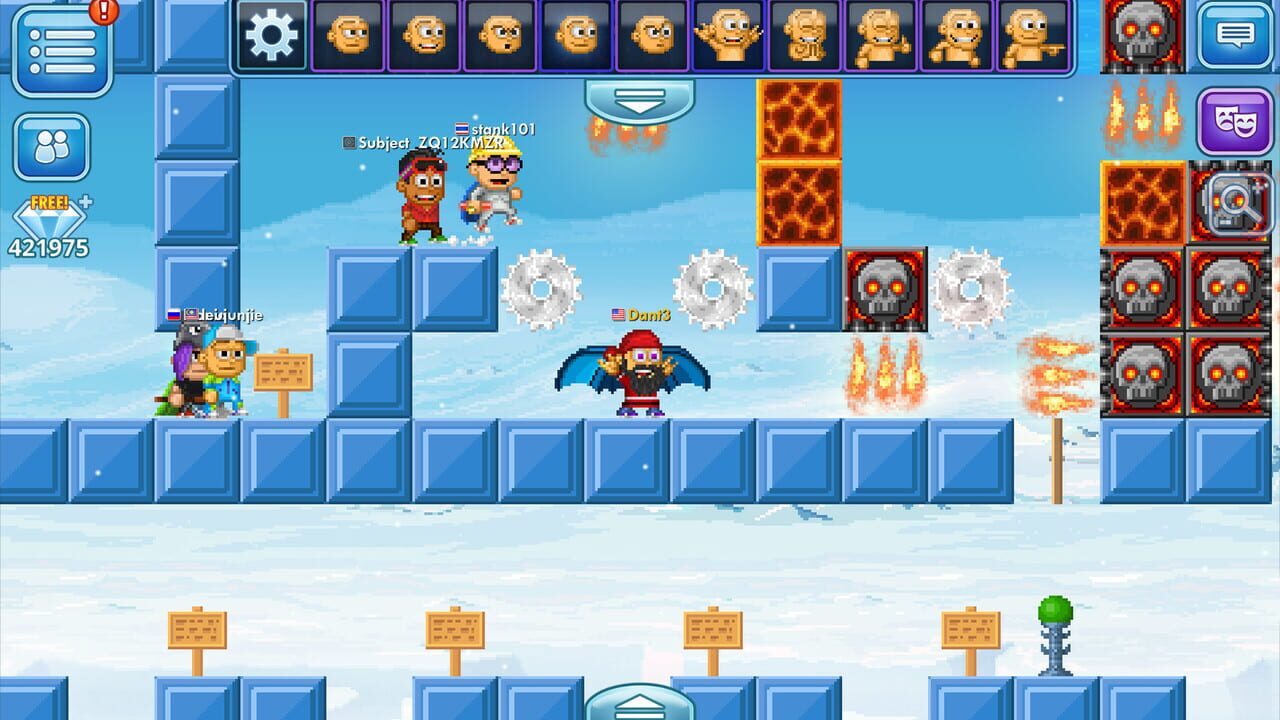
Pixel Worlds: MMO Sandbox Beginner’s Guide
Game Overview
Pixel Worlds: MMO Sandbox is a mobile sandbox game where you build your own island, gather resources, craft items, collect pets, complete quests, and explore with other players. You start with a small plot and basic tools. From there, it’s all about expanding your island, unlocking new recipes, and making the space truly yours. Play at your own pace — the game doesn’t rush you.
Core Mechanics
| Mechanic | What It Is | Why It Matters |
|---|---|---|
| Island Building | Construct and decorate your personal island using blocks, furniture, and terrain tools | Your island is your home base; more building unlocks more content |
| Resource Gathering | Mine ores, chop wood, harvest crops, and collect materials from the environment | Resources are the foundation of all crafting and trading |
| Crafting | Combine gathered resources into tools, weapons, furniture, decorations, and more | Essential for progression — better tools unlock harder materials |
| Quests | Complete objectives given by NPCs to earn gold, items, and experience | Quests guide your early progress and reward you with useful gear |
| Pets | Find, tame, breed, and customize creatures that follow you and provide bonuses | Pets offer passive stat boosts and are fun collectibles |
| Leveling | Gain XP through quests, crafting, gathering, and exploration | Higher levels unlock new recipes, areas, and features |
| Trading | Sell items and trade with other players through the market | Earn gold and acquire rare materials you can’t gather yourself |
| Seasonal Events | Limited-time events with special items, decorations, and rewards | Events introduce exclusive content you won’t find elsewhere |
Step-by-Step
Step 1: Start on the Right Foot
When you first launch Pixel Worlds: MMO Sandbox, you spawn on a tiny starter island with basic resources and a simple house. Don’t feel overwhelmed — that’s intentional. Take a few minutes to explore your surroundings. Look for trees to chop, rocks to mine, and any visible resource nodes. Your first job is gathering wood and stone so you can craft your initial toolset.
Your default tools are limited, so your first crafting priority is upgrading your pickaxe and axe. Better tools let you mine stronger ores and chop tougher wood, unlocking more recipes. Head to your crafting menu and start with a better pickaxe, a better axe, and some basic building blocks.
Step 2: Learn the Crafting System
Crafting sits at the heart of the game. Once you’ve gathered your first batch of materials, open the crafting menu. You’ll see a list of recipes, some locked behind level requirements or missing ingredients.
Start with these essentials:
- Wooden Tools: Axe, Pickaxe, Shovel — upgrade as soon as you can
- Building Blocks: Colored blocks and flooring to expand your island
- Storage Chests: Organize your growing inventory
- Basic Furniture: Workbenches and crafting stations
As you level up, new recipes unlock automatically. Watch your quest log — many early quests reward you with recipes you won’t find otherwise.
Step 3: Complete Your First Quests
Quests are your roadmap. Every new player gets a series of starter quests that teach the core loops: gather, craft, build, explore. Follow them closely — they guide you toward the most important early milestones.
Typical early quests include:
- Gather a set amount of wood or stone
- Craft your first upgraded tool
- Build a specific structure
- Reach a certain level
- Find or tame your first pet
Don’t skip quests just because they seem simple. Rewards stack up, and many unlocks depend on completing earlier objectives.
Step 4: Expand Your Island
Once you’ve got the basics down, it’s time to expand. Your island grows through terraforming and land reclamation. Use terrain tools to add ground, flatten areas for building, and shape hills and water features.
Key expansion tips:
- Clear space strategically: Keep zones for building, farming, pets, and decoration
- Use terraforming liberally: Reshaping the land is one of your most powerful tools
- Plan for pets: You’ll want dedicated spaces for your growing collection
- Decorate early: Make your island feel like home from the start
Step 5: Get a Pet
Pets are one of the most popular features. You can find them by exploring, completing quests, or purchasing eggs from the in-game shop. Each pet has its own appearance and stat bonuses.
To get started:
- Tame your first pet — some pets are found wild and need feeding and bonding
- Assign a pet slot — you can only carry a limited number at once
- Breed pets — combine two pets to produce offspring with mixed traits
- Customize appearances — use dyes and accessories to personalize them
Pets provide passive bonuses like faster mining, quicker gathering, or bonus XP. Pick pets that match your playstyle.
Step 6: Level Up and Unlock Content
Leveling is straightforward. You earn XP from nearly every activity:
- Completing quests
- Gathering resources
- Crafting items
- Exploring new areas
- Taming pets
Each level-up grants new recipes, sometimes new materials, and occasionally rare items. Prioritize activities that give the most XP per time invested. Early on, questing and crafting are your fastest routes to higher levels.
Step 7: Explore the Community
The game includes community features where you can visit other players’ islands and discover their builds. Make it a habit to visit a few islands each session — you’ll find new design ideas and sometimes uncover secrets or easter eggs other players have placed.
When visiting others:
- Be respectful of their space
- Take screenshots of builds you admire
- Participate in community events when they appear
- Exchange ideas and get feedback on your island
Step 8: Participate in Seasonal Events
Seasonal events are among the most exciting parts of the game. Limited-time activities introduce special decorations, exclusive items, unique quests, and themed rewards. Events often tie into holidays or community celebrations and can include mini-games, special NPCs, and rare collectibles.
To make the most of events:
- Check announcements regularly for event dates
- Complete event-specific quests for exclusive rewards
- Save inventory space for event items
- Talk to event NPCs for special dialogue and offers
Tips
Keep your inventory organized from day one. Early clutter slows you down. Build chests and storage solutions as soon as you can. A tidy inventory means you always know what you have and what you need next.
Don’t hoard resources too early. Sell or trade duplicates you won’t use. Gold is useful for shop items and pet eggs, so don’t let it sit idle.
Follow the quest chain. Quests funnel you toward the most efficient progression path. They teach mechanics in order and reward you with XP, gold, and recipes.
Visit islands often. Inspiration from other players’ builds will spark new ideas for your own island and keep the game fresh.
Save gold wisely. Resist the urge to spend everything immediately. Saving for pet eggs, rare materials, or big building projects pays off later.
FAQ
What is the best early-game crafting priority?
Upgrade your pickaxe and axe first, then build storage chests so you stop losing items to inventory overflow.
How do I get rare pets faster?
Save gold for pet eggs from the shop, complete pet-related quests, and explore hidden areas where wild pets spawn.
Can I trade with other players?
Yes. You can sell items on the market and trade with other players for gold or materials you can’t easily gather.
What should I focus on for fast leveling?
Complete all available quests, craft as many items as possible, and gather resources in bulk — these give the most XP early on.
Keep exploring
- Pixel Worlds: MMO Sandbox on MMOKB — the Pixel Worlds: MMO Sandbox game hub has the full knowledge base, tools and guides.
- Read the Pixel Worlds: MMO Sandbox knowledge base — Building And Creation, Crafting And Farming, Pets And Breeding, Economy And Trading, Quests And Dungeons.
- Browse the full library — all MMOKB guides
Reviewed & verified
| Covers | Pixel Worlds: MMO Sandbox |
| Last verified | October 8, 2026 |
| Accuracy | The game’s own numbers and rules — they change with patches; check in-game for live values. |
Discussion
0 commentsNo comments yet. Be the first!