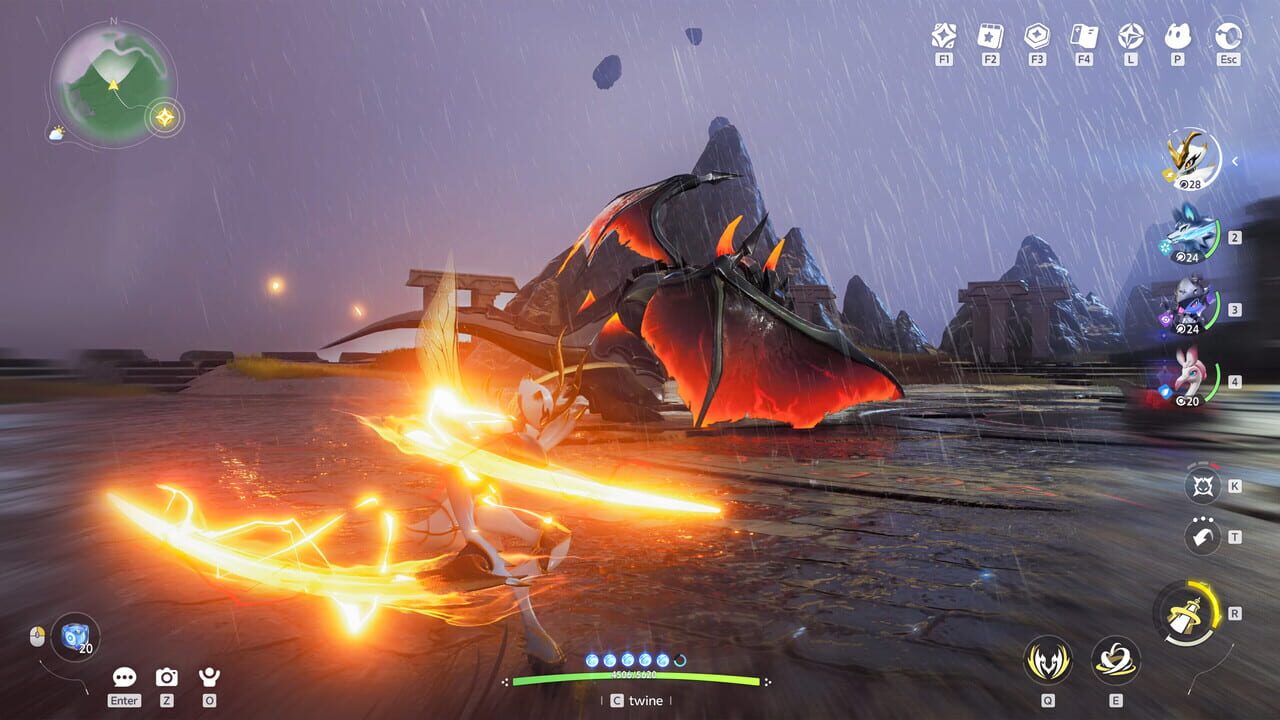
You are about to jump into Aniimo — the monster-catching RPG building serious hype ahead of its September 2026 launch. This guide covers every time-sensitive detail: exact server opening times for your region, how to pre-download right now, every free reward you should claim, and the optimal first-24-hours strategy so you lock in your head start before other players.
Read through once, bookmark it, and come back when you need a quick reference mid-session.
Exact Launch Times
Global unlock anchors to September 16, 2026, 10:00 (UTC+8). Different regions open at staggered windows so queues stay manageable. Mark your calendar by region:
| Server | Opens (local) | Notes |
|---|---|---|
| Aniimo-America | September 15, 22:00 EDT (UTC-4) | First region live |
| Aniimo-Europe | September 16, 02:00 UTC | Follows America by 4 hours |
| Aniimo-Apac | September 16, 10:00 UTC+8 | Primary APAC window |
Mobile players wait one more week: September 23, 2026 on both iOS App Store and Google Play. Console and PC launch together on the September 16 date.
If you are in a time zone between regional windows, pick your server based on where your friends play — not your local clock. Server choice is permanent.
Pre-Download Right Now
Pre-download opened September 14, 10:00 (UTC+8). Doing this tonight is the single highest-ROI action you can take before launch. Server-hour downloads for a 40 GB title will bottleneck the moment gates open.
| Platform | How | Size | Notes |
|---|---|---|---|
| PC | Official launcher from aniimo.com — also on Steam and Epic at launch | 40 GB | SSD required; DirectX 11; 64-bit Windows 10 minimum |
| PS5 / PS5 Pro | PlayStation Store pre-order pages | 30–35 GB | Internal SSD only; PSN region auto-assigns your server |
| Xbox Series X|S | Xbox Store pre-order pages; stream day-one via Xbox Cloud Gaming | ~30 GB | Same internal-SSD rule as PlayStation |
| Mobile | App Store / Google Play pages (September 23) | TBD | Separate release date |
PC Installation Notes
- SSD strongly recommended. HDD installs will cause texture pop-in and longer load screens that stack against you in early catch-combat encounters.
- Uninstall old test clients — beta clients cannot be updated to the launch build. Leftover test data causes il2cpp errors and extraction failures on first run.
- Antivirus false positives are a known issue. Whitelist the Aniimo launcher before launch to avoid blocked DLLs.
- Recommended spec: i7-10700 / Ryzen 5 5600, 16 GB RAM, RTX 3060 / RX 6700.
Console Installation Notes
- PS5 and Xbox Series X|S require internal SSD space. External drives are not supported for launch-day installs.
- Your PSN region locks your server assignment. Verify your PSN account region matches your friend group before linking accounts.
- No non-English characters in install paths on any console.
All Free Rewards (Claim Checklist)
Pre-registration hit 32.7M+ signups, unlocking every milestone reward automatically. You still need to log in and claim them — they go to your mailbox, not directly to your inventory.
Pre-Registration Milestone Rewards
| Milestone | Reward | Status |
|---|---|---|
| 10M signups | Glimmer ×200 | Unlocked |
| 15M signups | Aniipod Ultra ×2 | Unlocked |
| 20M signups | ”Companion Promise” limited avatar frame | Unlocked |
| 30M signups | ”Sunlit Meadow” limited outfit | Unlocked |
Additional Launch Rewards
- Susuta egg — pre-register on aniimo.com using the email you will use for your first character. This is a mysterious egg with variable hatch results.
- Perfect Egg — log in across multiple launch days to receive this random egg with guaranteed Perfect Potential.
- Sparkling Cube — available through launch events. Guarantees a Perfect Potential Aniimo when used.
- Aniipod Ultra + Tumbler — earned from Global Launch event participation.
- “Aniimo Together” event — daily login adventure supplies; squad up for an extra Aniipod Ultra.
- 4 free outfits total — sourced from milestone rewards, story quests, Homeland features, and cumulative check-ins.
Beta Veteran Rewards
CBT2 participants receive Glimmer ×1000 + Aniipod Ultra ×2. You must link your Steam or beta login to an Aniimo Pass email at first launch. The link prompt appears once only. If you skip it, your accounts cannot be merged and you lose all beta rewards permanently.
Your First 24 Hours (In Order)
Follow this sequence. Each step unlocks the next, and several decisions are permanent.
-
Pre-download and install tonight. Do not fight launch-hour download servers. A warm install means you are in-game while everyone else is still patching.
-
Create your Aniimo Pass account first. This is your master account. Beta players will see a one-time link prompt here; new players lock in their pre-registration email at this step. Do not skip the prompt.
-
Pick your server permanently. Server choice is locked forever. Progress shares across platforms only within the same server — cross-server crossplay does not exist. Coordinate with friends before creating your character.
-
Claim all mailbox rewards before playing. Open the mailbox immediately and collect Glimmer, pods, outfits, frames, and eggs. This is your head-start inventory. Every minute spent without these resources is a minute behind players who claimed them.
-
Hatch the Susuta egg early. Whatever comes out shapes your first team composition. Early hatches get a level advantage over eggs opened days later.
-
Do the story and Twine tutorial back-to-back. These unlock catching mechanics, the Twining system, and the world map. Skipping tutorials leaves you without core tools when you need them most.
-
Pick your starter and free Prismana. Refer to our starter guide for the full decision framework. Your starter Prismana sets your early combat style.
-
Catch the starting-region set. Fill your Aniilogdex to unlock evolution paths. Evolve one line to Gamma form for the early power spike that carries you through the first zone.
-
Join the first Egg Heist rotation. This is the fastest money and rare-egg pipeline from the beta meta. Try Chaos Mode only if your team composition is solid — it scales difficulty significantly.
-
Set up your RV and Homeland basics. Plant crops day one. Homestead produce pays out while you sleep and funds your early Glimmer purchases without spending a crystal.
What to Buy (and What to Skip) at Launch
Worth It
- Companion Handbook (battle pass): the free track is generous and covers most useful cosmetics. Pay only if you want the season-exclusive Prismana egg. One paid tier per season — extra redemption cards carry over to the next season.
- Lumin Crystals: every purchase includes a 10% bonus. The first purchase of each tier adds extra Glimmer. Do not whale before the meta settles — prices and bundles adjust after launch week.
- Console pre-order packs ($9.99 Advanced / $19.99 Collector): include the battle pass, a platform-exclusive accessory (Fluffy Friend for PS, Doggo Dude for Xbox), and a Prismana egg. Reasonable if you were going to buy the pass regardless.
Skip
- Early shop cosmetics — you already have 4 free outfits from milestones, quests, and check-ins. The shop rotates weekly and new cosmetics appear fast. Wait a month before buying anything cosmetic.
Common Mistakes to Avoid
- Skipping the Aniimo Pass link prompt. One chance only. Miss it and your beta progress is gone forever.
- Picking a server alone. You cannot switch servers later. Coordinate with your friend group first.
- Ignoring mailbox rewards. They do not auto-claim. Log in early and empty your mail.
- Wasting Glimmer on standard eggs before completing your starter team. Save your currency until you know which Aniimo lines you want to invest in long-term.
FAQ
| Question | Answer |
|---|---|
| What is Aniimo? | Aniimo is a monster-catching RPG launching on PC, console, and mobile, where players collect, train, and battle creatures called Aniimos. |
| When does Aniimo launch? | PC and console launch on September 16, 2026. Mobile launches on September 23, 2026. |
| Is server choice permanent in Aniimo? | Yes. Server selection is locked forever and cross-server play is not supported. |
| Are there any PvP modes in Aniimo? | No. Aniimo is a single-player and co-op experience; no PvP, arena, or competitive multiplayer modes are available. |
Last updated for launch week. Bookmark this guide and check back after release for post-launch patch notes, new Aniimo locations, and seasonal events.
Discussion
0 commentsNo comments yet. Be the first!