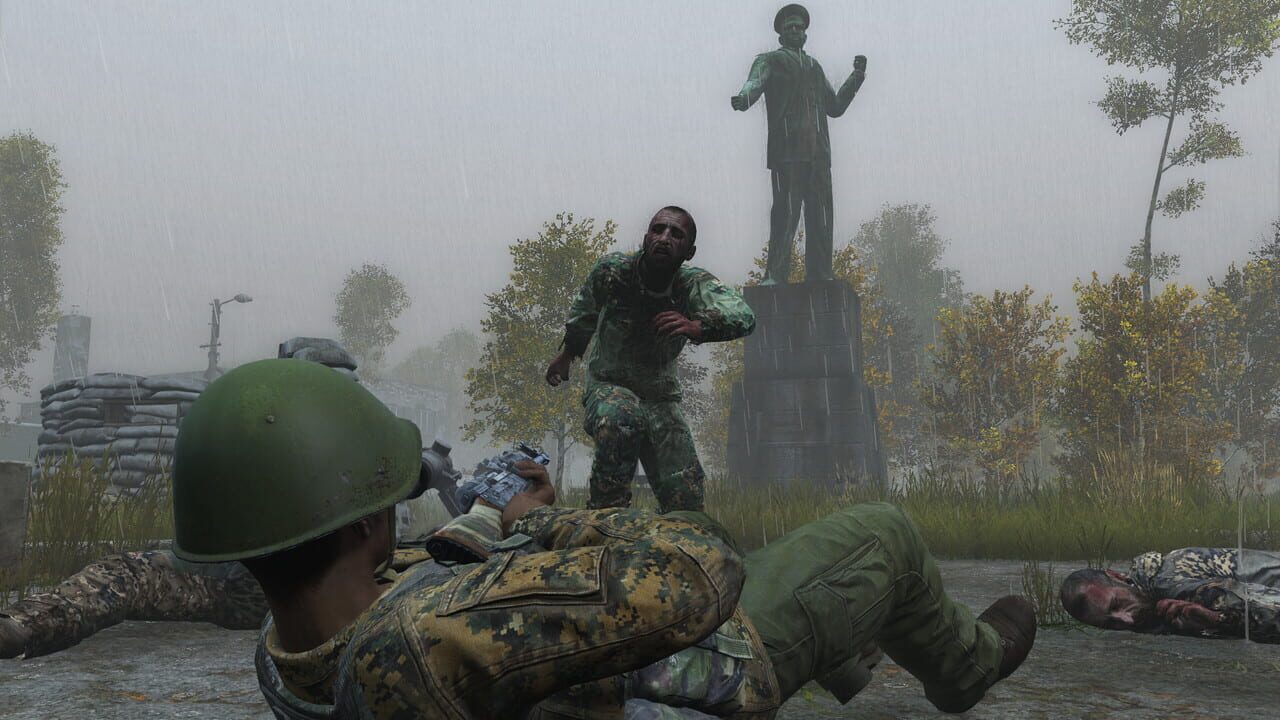
DayZ Group Play Guide
Intro
Welcome to DayZ, the brutal sandbox survival experience where the world never sleeps — and neither should you, especially when playing with a crew. This DayZ Group Play Guide will walk you through everything you need to know about running as a squad in one of the most punishing multiplayer survival games out there. Whether you’re on a dedicated PvE server or a full PvP zone, going solo gets old fast when zombies are roaming and other humans are hungry. Playing as a group changes the entire pace of the game — but only if everyone knows their role.
Let’s get you and your squad ready to survive together.
Core Mechanics
| Mechanic | Details |
|---|---|
| Squad Formation | Vanilla DayZ has no built-in squad system — you meet your crew on the server and coordinate with proximity voice. Mods on private servers add real squads of up to 4 players who share location pings on the map. |
| Proximity Voice Chat | Default comms. Talk to nearby squadmates without opening menus. Use push-to-talk to avoid background chaos. |
| Item Trading | Hand items directly between players by opening the trade UI, or drop items on the ground for a teammate to pick up. No currency needed — barter how you see fit. |
| Shared Map Markers | Place custom markers on the map that your squad can see. Use these to mark loot, danger zones, or rally points. |
| Reviving Downed Players | Apply a tourniquet to stop bleeding, then use a first aid kit or medkit to stabilize. Reviving takes time — protect your downed mate. |
| Shared Building | Some servers allow shared base building where squad members can place structures with shared access permissions. Check server rules. |
| Server Types | Servers vary: some are PvP-only, some are PvE, and many are custom with unique rules. Group dynamics shift drastically between them. |
| Item Stashes & Lockers | Groups can coordinate storage across multiple containers, spreading gear out to reduce loss if someone dies. |
Step-by-Step
Step 1: Choose Your Server Carefully
Before you even think about grouping up, pick the right server. Not all DayZ servers are created equal. Some run pure PvP where every encounter is a fight. Others are PvE with bandit AI only. Some are moderated with custom rules. Your group’s playstyle should match the server environment.
- PvP servers: Every human is a threat. Trust is scarce. Squad cohesion is everything because you can’t rely on strangers.
- PvE servers: Focus on exploration, base building, and surviving the environment. Less paranoia, more cooperation.
- Custom mod servers: These may have unique mechanics. Make sure your whole squad understands what’s different before diving in.
Check the server description, player count, and rule set. A mixed group on a chaotic PvP server can end badly fast if nobody’s on the same page.
Step 2: Form Your Squad
In DayZ, you form a squad through the in-game social menu. Here’s the process:
- Open the social menu (default key is usually
Tabor through the main menu). - Click “Form Squad” or invite players by typing their character name.
- Wait for everyone to accept. Once confirmed, all members will appear on each other’s maps and can communicate via proximity voice chat.
- Make sure everyone is comfortable with the same playstyle — aggressive looting, cautious camping, or somewhere in between.
Important: Vanilla DayZ does not have a built-in group system, so larger crews simply agree on meeting points and use voice chat or Discord. On modded servers, group or party mods can add a real squad HUD (usually capped at 4 players) with shared markers.
Step 3: Assign Roles Early
The biggest mistake groups make is having no plan. Before you start looting, decide who does what. Common roles:
- Scout: Moves ahead, clears buildings, marks threats. Usually the most experienced player.
- Medic: Carries tourniquets, first aid kits, morphine, and blood bags. Keeps the squad alive.
- Support / Logistics: Manages inventory, carries extra gear, watches the team’s back while others loot.
- Pointman / Aggressor: Engages threats first. Carries heavier weapons and armor.
You don’t need to stick to one role permanently, but having an informal assignment prevents chaos when contact is made.
Step 4: Establish Communication Protocols
DayZ’s voice chat is proximity-based by default, which means if you walk too far apart, you lose comms. Your squad needs a plan for this:
- Stay within voice range during high-risk operations. Don’t split up more than 30–50 meters in dangerous areas.
- Use map markers liberally. Mark loot, enemies, zombies, and fallback positions.
- Establish rally points. If someone gets separated or killed, know where the group will regroup.
- Use a comms checklist. “Clear,” “Contact left,” “Need med,” “Moving to LZ” — short calls keep things clean under pressure.
Step 5: Loot with a Plan
Looting is the bread and butter of DayZ, but solo looting and squad looting are completely different experiences. Here’s how to do it as a group:
- Approach in formation. Scout leads, medic stays mid, support covers the rear. Never all pile into one doorway.
- Clear rooms methodically. One person covers the entrance while another searches. Don’t assume a quiet room is safe — zombies don’t announce themselves.
- Share loot intelligently. If your scout finds a weapon and your medic needs it, trade it over. Don’t hoard gear in your inventory if a teammate can use it better.
- Use the drop system. When carrying too much, drop items and have the appropriate squad member pick them up. This keeps everyone mobile.
- Stash strategically. Identify safe spots near your base or route and stash gear in multiple locations. If one stash gets raided or lost, you still have backups.
Step 6: Handle Combat as a Unit
When contact is made, individual skill matters less than group coordination. Here’s the framework:
- Contact called immediately. The person who sees the enemy shouts it out. No silent firefights.
- Crossfire is your friend. Position yourselves so the enemy can’t focus on one person. Two angles beat one every time.
- Medic prioritizes the downed. If someone goes down, the medic moves to them while the rest of the squad provides covering fire.
- Retreat is not failure. If you’re outnumbered or outgunned, fall back to a predetermined rally point. Re-engage only when you have the advantage.
- Loot the corpse quickly. After a fight, someone needs to strip the body before others arrive. One person does this while the rest watch flanks.
Step 7: Build and Maintain a Shared Base
A solid base is the backbone of any successful group. Here’s how to approach it:
- Choose a defensible location. Near resources but not too close to high-traffic loot zones. Elevated positions help.
- Coordinate construction. Use shared building mechanics if the server allows it. Spread responsibilities so one person isn’t doing all the work.
- Set access rules. Who can build? Who can take what? Write it down or agree as a group. Unspoken rules cause the most drama.
- Diversify your stashes. Don’t put all your gear in one container. Spread it across lockers, vehicles, and hidden outdoor spots.
- Maintain a rotation. Someone should always be checking the base, repairing defenses, and monitoring the perimeter. A neglected base is a dead base.
Step 8: Know When to Split and When to Stick Together
This is the hardest part of group play. Sometimes splitting up is necessary — one person scouts while others secure the base, for example. But in hostile areas, sticking together is non-negotiable.
- Split when: You’re in a safe zone, need to cover more ground for farming, or someone needs to run a quick errand to a nearby stash.
- Stick together when: Moving through high-risk loot zones, during combat, at dusk and dawn when zombies and hostiles are most active, or when returning to base with valuable gear.
Always agree on a regroup plan before splitting up.
FAQ
Q: What is the maximum squad size in DayZ? A: There is no native squad system in vanilla DayZ. Group mods used on private servers typically cap a squad at 4 players.
Q: Can DayZ squads craft items together? A: Crafting is an individual action in DayZ — there is no shared crafting table or co-op crafting mechanic. Each player crafts independently.
Q: Does DayZ have built-in text chat for squads? A: DayZ uses proximity-based voice chat by default. There is no built-in text chat system for squads; you can use external tools like Discord.
Q: Can I share items with my squad in DayZ? A: Yes. You can trade items directly through the trade UI, or drop items on the ground for a teammate to pick up. There is no currency — barter freely.
Quick Reference Table
| Topic | Key Point |
|---|---|
| Squad Size | No native system; group mods cap at 4 |
| Voice Chat | Proximity-based, default |
| Item Trading | Direct trade UI or ground drop |
| Reviving | Tourniquet + first aid/medkit |
| Map Markers | Squad-visible custom markers |
| Building | Server-dependent shared building |
| Roles | Scout, Medic, Support, Pointman |
| Comms | Establish rally points and checklists |
Group play in DayZ transforms the experience from a lonely survival slog into a coordinated operation where communication, trust, and role clarity separate the surviving squads from the looted corpses. Follow these tips, keep your team tight, and you’ll carve out a foothold in Chernarus that lasts.
Keep exploring
- DayZ on MMOKB — the DayZ game hub has the full knowledge base, tools and guides.
- Read the DayZ knowledge base — Maps, Infection, Medical, Vehicles, Military Operations.
- More DayZ guides — DayZ Achievements: 14 Tips for 2026 Survival, DayZ Survival Guide: 15 Pro Strategies for Chernarus (2026), DayZ Beginner Guide 2026: How to Survive Chernarus, Dayz Best Builds & Farming Tips 2026: Your Ultimate Guide, DayZ Best Builds 2026 — Loadouts, Gear & Strategies, Dayz Best Classes 2026: Pick Your Tier (Proof).
- Browse the full library — all MMOKB guides
Reviewed & verified
| Covers | dayz |
| Last verified | November 4, 2026 |
| Accuracy | The game’s own numbers and rules — they change with patches; check in-game for live values. |
Discussion
0 commentsNo comments yet. Be the first!