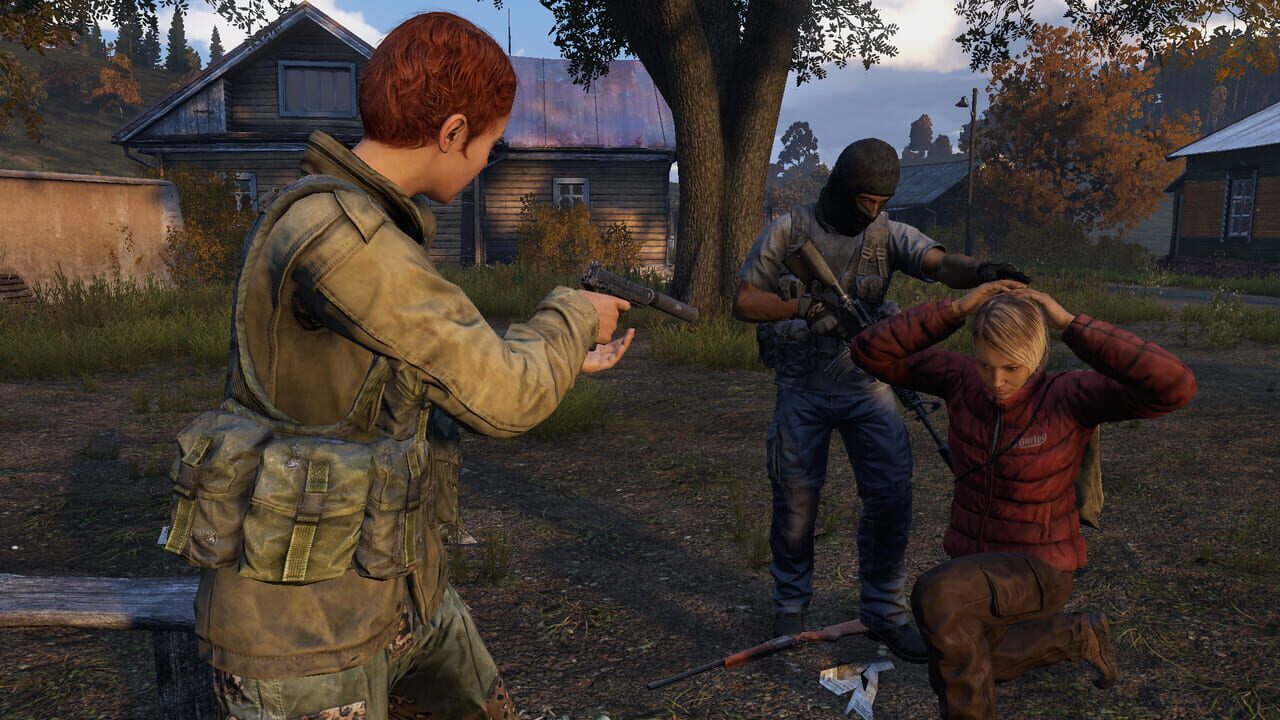
DayZ Graphics Settings 2026: Proven FPS Boost Guide
Hey, survivors! Welcome to your ultimate DayZ Graphics & Performance Guide. If you’ve been struggling with choppy framerates or wondering how to make Chernarus actually look decent on your rig, you’re in the right spot. DayZ is known for being hungry on hardware, but with the right tweaks, you can get a smooth experience without turning your GPU into a space heater. This guide will walk you through every setting that matters, help you find your sweet spot, and keep you alive longer by giving you those extra frames when a bandit rounds the corner. Let’s get you optimized!
Core Mechanics Table
| Setting | Impact on FPS | Visual Quality | Recommendation |
|---|---|---|---|
| Resolution | Massive | Massive | Match your native display |
| Render Scale | High | High | 100% ideal; drop to 80% only if needed |
| Texture Quality | Moderate | Massive | Low/Medium on budget GPUs |
| Shading Quality | Moderate | Moderate | Low to Medium for best FPS |
| Anti-Aliasing | Moderate | High | TSSAA or Temporal only |
| Shadow Quality | Very High | High | Low or Off for competitive play |
| Grass Quality | Very High | Moderate | Lowest or Off — major FPS killer |
| Post Processing | Low | Moderate | Low for maximum performance |
| Draw Distance | High | High | 2000-3000m sweet spot |
| View Distance | High | High | Keep high; costs very little FPS |
| Vignette | None | Minimal | Turn off if distracting |
| HDR | Minimal | Cosmetic | Leave on if you want it |
| Particle Quality | Moderate | Moderate | Low to Medium |
| Terrain Quality | Low | Low | Default is fine |
Step-by-Step Optimization
Step 1: Get Your Base Settings Right
Open the DayZ options menu and head to Graphics. This is where the magic happens. The first thing you want to do is lock your Resolution to your monitor’s native resolution. Running DayZ at anything below native will make everything look soft and muddy, and it won’t actually give you much of a performance boost on modern systems. If you’re on a 1080p monitor, set it to 1920x1080. 1440p if you’ve got the rig. Go native or go home, friend.
Next up is Render Scale. This controls the internal rendering resolution relative to your display resolution. Keep this at 100% unless you’re really struggling. If you are, dropping to 85-90% can buy you some frames without making the game look totally terrible. Don’t go below 80% unless you want to be playing a blur.
Step 2: Kill the Grass
This is the most important step in this entire guide. Grass Quality is widely considered the single biggest performance hit in DayZ. The game renders grass across massive areas of Chernarus and Livonia, and turning it down from High to Low or Off can give you a massive FPS boost — sometimes 30-50% depending on your system. Yes, you’ll lose some immersion when you’re crouched in a wheat field. But you know what’s worse? Not being able to see the bandit coming at you because your GPU gave up. Set Grass Quality to Low or even Off if you’re on a weaker machine. You’ll still see bushes and trees, and that’s what matters for spotting enemies.
Step 3: Shadows Are a Luxury
Shadow Quality is another heavy hitter. Shadows in DayZ are expensive, and they don’t give you nearly as much visual bang for your buck as they do in other games. Setting this to Low or Off will free up significant GPU resources with minimal visual impact. You can still tell when something is in cover — you just might not see the shadow it casts. If you’re playing competitively or on a tighter system, this is an easy win.
Step 4: Textures — Balance Quality and VRAM
Texture Quality affects how detailed surfaces look at close range. This setting is more dependent on your GPU’s VRAM than anything else. If you have 8GB or more of VRAM, you can probably leave this on Medium or even High without issues. If you’re on 6GB or less, drop it to Low or Medium. The game will look a bit softer on buildings and vehicles, but you’ll avoid texture streaming stutter — that annoying moment when textures pop in slowly as you move around. Nobody likes that.
Step 5: Shading and Post Processing
Shading Quality and Post Processing both have moderate impacts on performance. Shading affects how light interacts with surfaces, and Post Processing handles things like color grading, bloom, and depth of field. For most players, setting both to Low or Medium is the sweet spot. You’ll still have the DayZ aesthetic — that gritty, post-apocalyptic look that makes the game feel like a survival horror film — without melting your graphics card.
Step 6: Anti-Aliasing Choices
DayZ offers several anti-aliasing options, and picking the right one matters. TSSAA (Temporal Spatial Scalable Anti-Aliasing) is generally a good balance between performance and image quality. Temporal AA is another solid choice. Avoid MSAA if you’re already struggling for frames — it’s very expensive. The goal here is to reduce that jagged edge look without sacrificing your framerate.
Step 7: Draw Distance and View Distance
Draw Distance controls how far you can see objects before they fade in. View Distance controls how far you can see players, animals, and other entities. These are both important settings because DayZ is a game where spotting someone at 500 meters can mean the difference between life and death.
Set your Draw Distance to around 2000-3000 meters. Going much higher won’t help you see enemies any better — your human eyes literally can’t pick them out at that range anyway — but it will tank your FPS. Set View Distance as high as your system can handle. This one gives you the most tactical advantage because it lets you see other players further away.
Step 8: Particle and Terrain Quality
Particle Quality affects explosions, fire, smoke, and weather effects. Dropping this to Low or Medium is safe. You’ll still see the effects clearly, they’ll just be a bit less detailed. Terrain Quality doesn’t impact performance nearly as much, so you can usually leave this on default. It mainly affects how detailed the ground looks at close range.
Step 9: Optional Tweaks
- Vignette: Turn this off if it bothers you. It has zero performance impact, so it’s purely a personal preference call.
- HDR: Leave this on if your monitor supports it. It’s mostly cosmetic and doesn’t hurt performance.
- Fullscreen Mode: Use Exclusive Fullscreen for the lowest input lag. Borderless windowed is fine if you need to alt-tab frequently, but exclusive fullscreen gives you the best performance.
- Cursor Input Update Rate: Set this to your monitor’s refresh rate if possible. It reduces input latency noticeably.
Tips
Monitor your FPS. Use the built-in DayZ FPS counter (found in the Options menu under Gameplay) so you can see exactly how your settings are affecting things. It’s eye-opening to see that grass toggle actually do its work in real time.
Play at a lower resolution if your GPU is ancient. If you’re on a laptop or a budget rig from a few years ago, running at 900p or even 720p with all settings on Low can make the game completely playable. DayZ was built to run on relatively modest hardware, and it still can — just not at Ultra.
Close background apps. DayZ is single-threaded heavy, meaning it relies a lot on your CPU’s single-core performance. Close Discord overlays, browser tabs, Spotify, and anything else eating up CPU cycles. Even closing your web browser can net you 5-10 extra FPS.
Update your GPU drivers. This sounds obvious, but it’s worth repeating. DayZ gets occasional patches that affect performance, and new GPU drivers often include optimizations. Make sure you’re running the latest version from NVIDIA or AMD.
SSD is a must. DayZ streams a lot of data as you move around the map. If you’re still playing off a hard drive, you’re going to experience stuttering and long loading times. An SSD eliminates most of these issues entirely. The game was updated years ago to support HDD mode, but it’s never optimal — an SSD is strongly recommended for a consistent experience.
Adjust CPU affinity if needed. On systems with many cores, DayZ doesn’t always utilize them evenly. You can try limiting the game process to fewer cores via Task Manager, which sometimes improves single-thread performance.
FAQ
What is the best graphics preset for DayZ on a budget GPU? Start with Low or Medium presets, then turn Grass Quality and Shadow Quality to Off. This combo typically doubles your framerate on entry-level cards like the GTX 1650 or RX 6400.
Does DayZ benefit from multiple GPUs or SLI/CrossFire? No. DayZ is fundamentally a single-threaded game and does not support multi-GPU configurations. SLI and CrossFire will not improve performance.
Should I use TSSAA or Temporal AA in DayZ? TSSAA is the better choice for most players. It provides solid anti-aliasing at a much lower performance cost than Temporal AA. MSAA is too demanding and should be avoided.
How much does view distance affect FPS in DayZ? Very little. View Distance primarily affects enemy visibility range and has minimal impact on performance. Always max it out for the best competitive edge.
Is DayZ playable on integrated graphics? It can be, but only at very low settings and reduced resolution. Expect 30-40 FPS on newer APU chips like the Ryzen 5 5600G at 720p with all settings on Low. Dedicated GPU hardware is strongly recommended.
With these settings dialed in, you’ll be pulling ahead of the pack — both in framerate and in survival. Stay sharp, stay hidden, and may your FPS always be high. Good luck out there, survivor.
Keep exploring
- DayZ on MMOKB — the DayZ game hub has the full knowledge base, tools and guides.
- Read the DayZ knowledge base — Maps, Infection, Medical, Vehicles, Military Operations.
- More DayZ guides — DayZ Achievements: 14 Tips for 2026 Survival, DayZ Survival Guide: 15 Pro Strategies for Chernarus (2026), DayZ Beginner Guide 2026: How to Survive Chernarus, Dayz Best Builds & Farming Tips 2026: Your Ultimate Guide, DayZ Best Builds 2026 — Loadouts, Gear & Strategies, Dayz Best Classes 2026: Pick Your Tier (Proof).
- Browse the full library — all MMOKB guides
Reviewed & verified
| Covers | dayz |
| Last verified | November 4, 2026 |
| Accuracy | The game’s own numbers and rules — they change with patches; check in-game for live values. |
Discussion
0 commentsNo comments yet. Be the first!