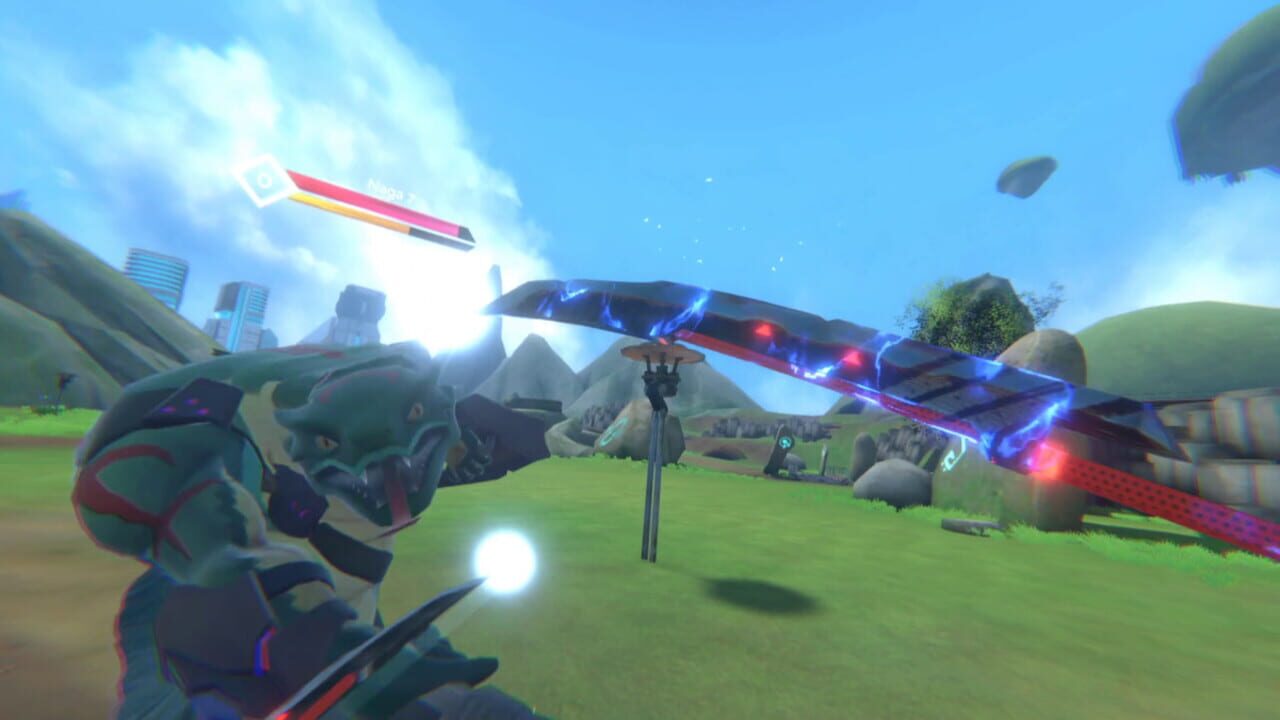
Zenith: The Last City is the premier VR MMO, offering full-body combat, climbing, and exploration in a vibrant anime-inspired world. Whether you’re playing on Meta Quest 3, PSVR 2, or PC VR, this guide covers everything you need to know to get started and thrive in Zenith.
Last Verified: June 2026 - Game version 2.0+
Note: Verified as of July 2026. Check official patch notes for updates.
Getting Started on Meta Quest 3
Setting Up Your VR Experience
Meta Quest 3 offers the best standalone Zenith experience. Before jumping in:
- Clear your play space - Zenith uses full-arm movements for combat and climbing. You need at least 6x6 feet of clear space.
- Adjust your guardian boundary - Set it wider than you think you need. Combat dodging requires room.
- Enable wrist menu - Access your inventory, map, and skills by looking at your wrist.
- Calibrate height - Go to Settings > Comfort > Height Calibration for accurate character proportions.
Comfort Settings for New Players
If you’re new to VR, enable these comfort options:
- Snap turning instead of smooth turning (reduces nausea)
- Teleport movement as an alternative to smooth locomotion
- Vignette during movement to reduce motion sickness
Choosing Your Class
Zenith offers four primary classes, each with unique VR combat mechanics:
Blade Mage (Melee DPS)
- Playstyle: Fast sword combos with physical swings
- VR mechanic: Slash in specific patterns for special attacks
- Best for: Players who want action-packed melee combat
- Difficulty: Medium
Essence Mage (Ranged DPS)
- Playstyle: Cast spells using hand gestures and runes
- VR mechanic: Draw symbols in the air to cast spells
- Best for: Players who enjoy magic and ranged combat
- Difficulty: Hard (requires memorizing rune patterns)
Guardian (Tank)
- Playstyle: Shield-based defense with party protection
- VR mechanic: Hold shield up to block, bash to taunt
- Best for: Players who want to lead groups and absorb damage
- Difficulty: Easy
Bio Berserker (Melee DPS/Healer Hybrid)
- Playstyle: Transform into enhanced forms for different roles
- VR mechanic: Activate transformations for berserker or healer modes
- Best for: Players who want flexibility between DPS and healing
- Difficulty: Medium
Combat Basics in VR
Melee Combat
- Swing naturally - Real arm movements translate to in-game attacks
- Dodge by physically moving - Step left, right, or backward
- Block with your shield (Guardian) - Hold the shield arm up
- Combo chains - Specific swing patterns unlock powerful abilities
Ranged Combat
- Draw runes in the air - Each spell has a specific gesture pattern
- Aim with your hands - Point and shoot for basic attacks
- Mana management - Watch your mana bar during extended fights
Tips for VR Combat Success
- Practice in the tutorial area - Master basic swings before venturing out
- Keep moving - Standing still makes you an easy target
- Use both hands - Most classes benefit from two-handed techniques
- Watch your stamina - Dodging and sprinting consume stamina
The World of Zenith
Key Locations for New Players
The Hub City
- Central social area with vendors, guild halls, and quest boards
- Safe zone - no PvP or enemy spawns
- Access all crafting stations here
Starter Zones
- Level 1-15 areas with guided quests
- Low-difficulty enemies for learning combat
- Basic gathering nodes for crafting materials
The Outlands
- Level 15+ zones with increased danger
- PvP-enabled areas with better loot
- Group content and world bosses
Navigation Tips
- Look for purple quest markers - Main story quests
- Check your wrist map - Access anytime for navigation
- Use waypoints - Teleport between discovered locations
- Climb everything - Zenith rewards exploration and vertical movement
Progression Guide
Early Game (Levels 1-15)
- Complete the tutorial area thoroughly
- Follow the main story questline
- Join a guild for social benefits and group content
- Start gathering resources for crafting
- Experiment with different combat styles
Mid Game (Levels 15-30)
- Complete dungeon content for gear upgrades
- Join world boss events for rare materials
- Focus on a specific crafting discipline
- Participate in PvP if desired
- Work on your class specialization
End Game (Level 30+)
- Tackle raid content with organized groups
- Farm legendary gear from high-level dungeons
- Master your class mechanics
- Participate in seasonal events
- Compete in PvP rankings
Crafting in Zenith
Zenith’s crafting system lets you create weapons, armor, and consumables:
Gathering Resources
- Mining - Ore nodes throughout the world
- Woodcutting - Trees for lumber and components
- Herbalism - Plants for potions and reagents
- Skinning - Animal drops for leather and materials
Crafting Stations
- Forge - Weapons and metal armor
- Workbench - Leather and cloth armor
- Alchemy Table - Potions and consumables
- Enchanter - Magical enhancements
Social Features
Guilds
- Join a guild for group content, shared resources, and social interaction
- Guild halls provide crafting stations and storage
- Guild events offer exclusive rewards
Voice Chat
- Zenith has built-in proximity voice chat
- Use it for group coordination and socializing
- Mute toxic players through the settings menu
Performance Tips for Quest 3
- Lower shadow quality for smoother frame rates
- Disable anti-aliasing if experiencing lag
- Close background apps before launching Zenith
- Keep the headset charged - VR gaming drains battery quickly
- Use a battery pack for extended sessions
Discussion
0 commentsNo comments yet. Be the first!