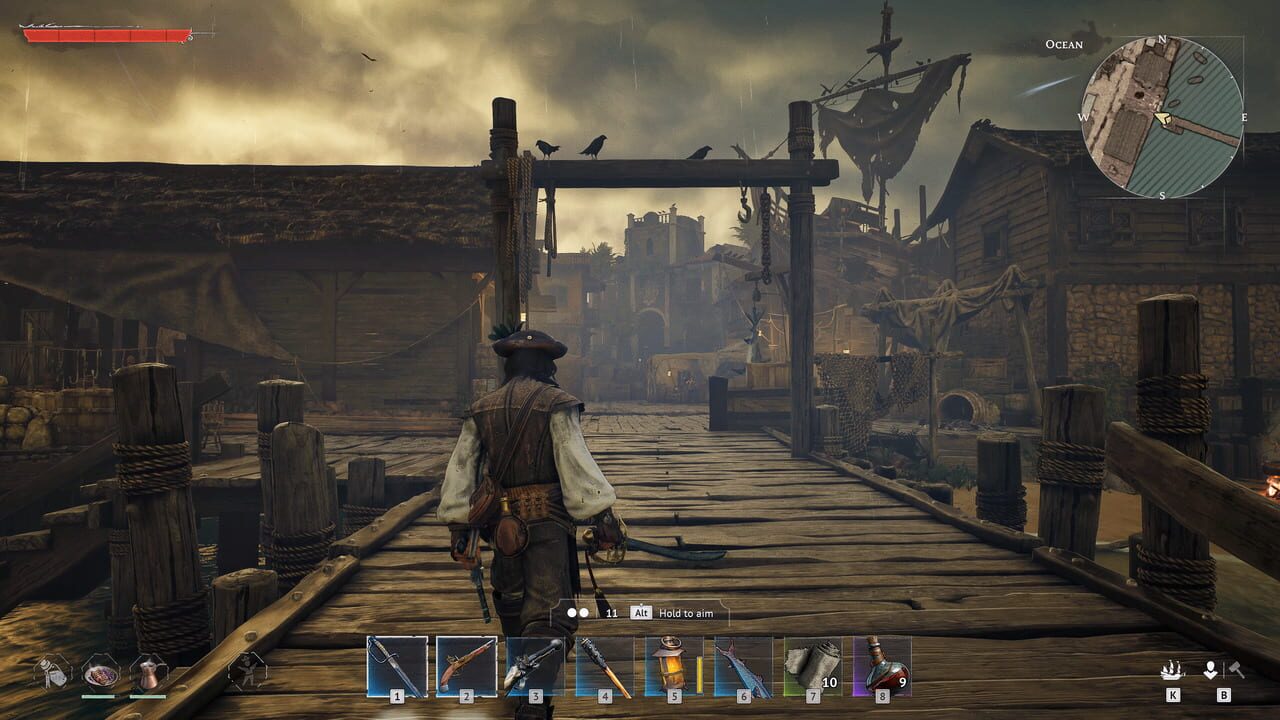
You just dropped onto an island in Windrose, you look around, and your boat is nowhere to be found. The ocean stretches in front of you, the tutorial told you to sail somewhere else, and suddenly you are wondering if you missed a build step or a hidden quest marker. Stop searching menus. Press K.
This guide covers everything you need to know about boat summoning in Windrose so you never waste another ten minutes looking for a vessel that is already yours.
What Boat Summoning Does in Windrose
Boat summoning is the core way you move between islands in Windrose. When you get off your ship to explore, fight, or loot on land, the boat does not sit idle. It detaches and becomes available to recall whenever you are standing near water. Think of it as a fast-travel anchor tied to the nearest coast.
The three moments players most often need this:
- You landed somewhere unexpected and cannot spot your boat in the surf
- You died, respawned, and now need to get back to sea quickly
- You simply forgot which shoreline you left it on
In every case the answer is the same: find water, press K, and the boat appears.
When Does Boat Summoning Unlock?
Boat summoning unlocks very early in your Windrose run. The trigger is tied to the opening tutorial flow, specifically the conversation with Doctor Galen. After you finish that first island-hopping exchange, your starter boat becomes available for recall via the summon key.
You do not manually craft the starter boat in Build Mode during the opening minutes. It is given to you as part of the quest progression. Once the tutorial hands you the helm, the summon system activates automatically.
If you are brand new and have not met Doctor Galen yet, the option may not be active. Move forward through the early objectives and it will unlock.
Exact Summon Input: How to Call Your Boat
The control is straightforward.
| Action | Input |
|---|---|
| Summon boat | K (keyboard) |
| Requirement | Stand near water/coast |
That is all. No radial menu, no confirmation prompt, no resource cost. Walk to the shoreline and press K. The boat materializes at your location and you can board immediately.
A few practical tips while you are doing this:
- You do not need to be right at the water edge. Being on the beach or a short walk from the shore is enough.
- If nothing happens after pressing K, you are likely too far from water. Back up toward the coast and try again.
- The summon is instant. There is no wind-up animation blocking you.
What Kind of Boat Do You Start With?
Your starter boat is a basic vessel. It handles the early sailing and island hopping, but it is not built for serious naval combat. It is a movement bridge between points, not a warship.
As you progress through Windrose you will encounter larger and more capable ships. The summon mechanic scales with your fleet, so recalling a bigger craft uses the same K input. The game tracks your current vessel and always brings that one to you when you summon.
One thing to keep in mind: the starter boat is replaceable. As you advance and acquire better ships, you will transition away from it. But until then, it is the only boat you have, and summoning keeps it close.
Deep Dive: Summon Range and Water Requirements
Understanding the exact range and terrain requirements for boat summoning saves you from unnecessary backtracking.
How close do you need to be to water?
The summon works within a reasonable distance from the coastline. You do not need to stand knee-deep in the ocean. A short walk inland from the shore is sufficient. However, being too far into the island — past the tree line or up a hill — will cause the summon to fail silently.
What counts as water?
The summon system recognizes oceans, seas, and coastal shorelines. Rivers and small lakes may or may not register depending on their size and connection to open water. When in doubt, head to the largest body of water nearby.
Edge cases to watch for:
- Cave entrances near water still count as being near the coast.
- Elevated cliffs overlooking the sea usually work fine.
- Small coves and inlets are valid summon points.
- Islands with no shoreline access (rocky outcrops surrounded by deep water) can sometimes cause issues if you are floating rather than standing on solid ground.
If the summon fails repeatedly, walk along the coastline until you find a wider beach area. That is the most reliable summon spot.
Troubleshooting: Why K Is Not Working
Even though boat summoning is simple, a few common issues can pop up. Here is how to fix them quickly.
Nothing happens when I press K
This almost always means you are too far from water. Walk toward the nearest coastline and try again. Check your minimap for blue tiles indicating water proximity.
The boat does not appear after pressing K
A few things could be going on:
- You have not completed the Doctor Galen tutorial yet. The summon is not active until the quest progresses.
- You are inside a building or cave. Exit to the open world first.
- Your boat was destroyed. If your vessel took fatal damage and sank, you may need to replace it through normal progression.
The summon feels delayed
Summoning is technically instant, but if you are on a hilly island and have to run a long distance to reach water, the delay is travel time, not a system lag. Use the shortest route to the coast.
Multiple boats in the fleet — which one shows up?
The game recalls whichever vessel you last used or selected as your active ship. Switch your active boat through the standard fleet menu before summoning if you want a different vessel to appear.
Advanced Tips: Getting the Most Out of Summoning
Once you have the basics down, these tips will streamline your runs in Windrose.
Pick your landing spot strategically
Before you get off the boat, choose a landing zone with a wide, accessible beach. Narrow coves or rocky shorelines can make summoning finicky. Open beaches give you plenty of room to stand back and still trigger the recall.
Keep a mental note of your last shoreline
If you know you are only a few hundred meters from the coast, you can often sprint back and summon without stopping. Mark landmarks mentally so you can find your way back quickly.
Use summoning to escape dangerous areas
If you take heavy damage on land and cannot reach a healing station, running to the nearest water and summoning your boat gives you a mobile safe zone. Board quickly and put distance between yourself and threats.
Check the water before you walk away
A quick glance at the coastline before you head inland ensures you know exactly where to return. This habit alone prevents most summoning failures.
Why Players Miss the Summon Key
The Steam community and player discussions consistently show the same pattern. Here is how players usually get stuck:
- The game tells you to visit another island
- You search the Build Menu for a crafting recipe
- You assume the boat disappeared or broke
- You waste time wandering the coast looking for a visible hull
- The real solution was always just pressing K
The mistake is treating the boat like a world object you have to find. It is not. It is a recallable asset. The moment you stop looking and press the key, the boat arrives.
Boat Summoning Quick Reference
| Step | Action | Requirement |
|---|---|---|
| 1 | Travel to the shoreline | Near water/coast |
| 2 | Ensure tutorial with Doctor Galen is complete | Quest progression |
| 3 | Press K on keyboard | Stand near water |
| 4 | Board the summoned boat | Instant appearance |
FAQ
How do I summon my boat in Windrose? Stand near any water or coastline and press the K key on your keyboard. The boat will appear instantly at your location. No resources, menus, or confirmation prompts are required.
Why isn’t my boat showing up when I press K? The most common reason is that you are too far from water. Walk back toward the nearest coast and try again. If you are near water and it still fails, you may not have completed the Doctor Galen tutorial yet, which is required to unlock summoning.
Do I need to craft or buy my boat first? No. Your starter boat is given to you automatically during the opening tutorial after you speak with Doctor Galen. It is not crafted — it is unlocked through quest progression.
Which boat appears when I have multiple ships? The game recalls whichever vessel you last used or set as your active ship. Open the fleet menu to switch your active boat before pressing K if you want a different ship to appear.
Discussion
0 commentsNo comments yet. Be the first!