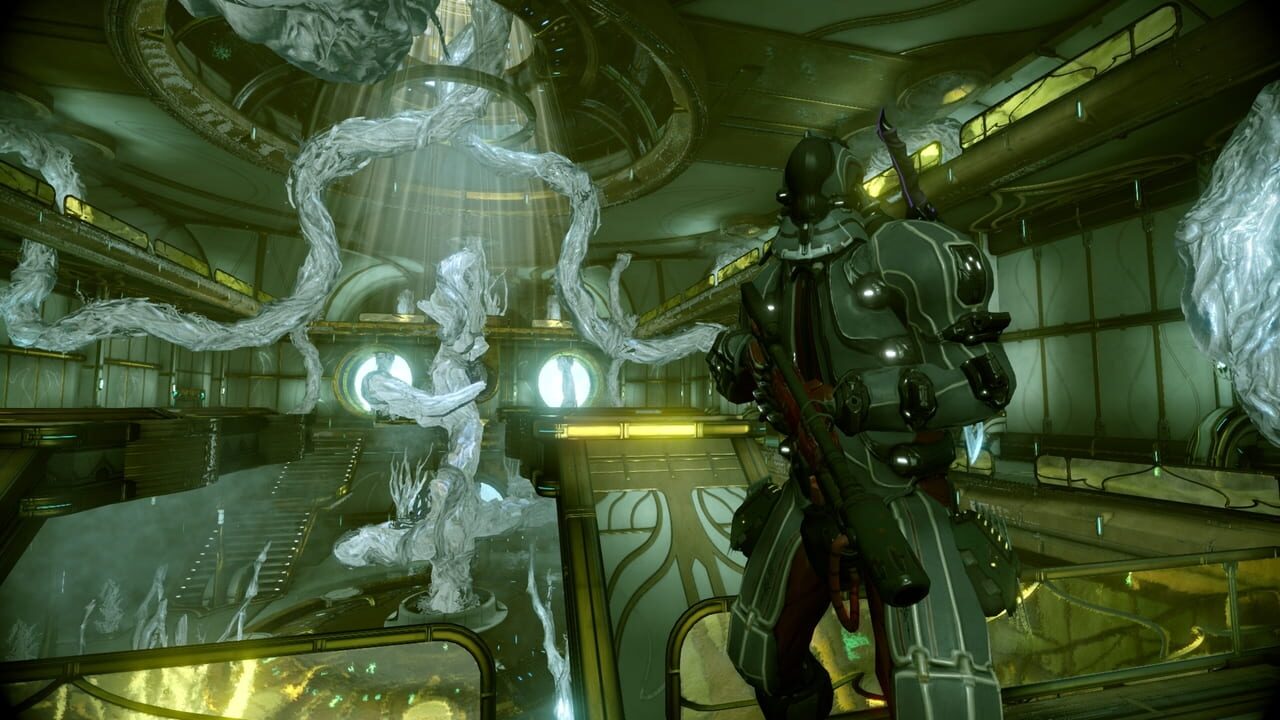
Incarnon Genesis adapters turn mid-tier Warframe weapons into endgame variants with alternate-firing Incarnon forms, passive stat bonuses, and an evolution progression tree. This guide answers the unlock question first — how to actually get Incarnon weapons — then covers which ones are worth it and how to maximize them, as of November 2026.
Note: Verified November 14, 2026 against the Warframe wiki’s Incarnon page. Check official patch notes for updates.
What Is Incarnon Genesis?
An Incarnon Genesis adapter permanently modifies a base weapon by adding three core features:
-
Incarnon Form (Alt-Fire Mode): In Incarnon Form, the weapon’s behavior changes dramatically — switching projectile type, fire rate, or area-of-effect pattern. Activate by killing enemies with the base form to charge the meter, then pressing Alt-Fire.
-
Passive Stat Bonuses: Each adapter grants permanent stat increases (damage, critical chance, status chance, etc.) even outside Incarnon Form.
-
Evolution Path: A tiered challenge tree unlocks further passive bonuses. Completing all Evolution stages reveals the weapon’s full potential.
The result: a once-overlooked weapon like the Braton becomes genuinely competitive alongside purpose-built endgame options.
How to Unlock Incarnon Weapons (Step by Step)
Unlocking an Incarnon weapon means getting the Incarnon Genesis adapter for that weapon and installing it. There are two ways:
- Complete the Duviri Paradox — this quest unlocks access to The Steel Path, the prerequisite for the adapter reward track.
- Run The Steel Path Circuit weekly — every week the Circuit offers a rotating set of weapons. Reach the reward tiers to claim one of their Incarnon Genesis adapters.
- Install the adapter — apply it to the matching base weapon using Pathos Clamps plus a few crafting materials. The adapter is consumed on install.
Shortcut for Platinum spenders: adapters can also be purchased directly from Cavalero for Platinum, skipping the Circuit wait.
Two important details:
- Primes, Wraiths, and Vandals of a weapon are eligible for that weapon’s Genesis — so a Braton Prime gets the same Braton Incarnon Genesis as a base Braton.
- Akimbo and Dual variants are not considered the same weapon and cannot take a Genesis adapter.
- Purpose-built Incarnon weapons (Felarx, Innodem, Kullervo, Laetum, Rauta, Torid, Zylok, etc.) don’t need an adapter — they’re crafted with their Incarnon form built in and are acquired through Steel Path and Zariman content instead.
The standing and access you build on the Zariman feed the same loop, but the adapters themselves come from the Circuit (or Cavalero), not from a general vendor.
Which Weapons Have Incarnon Genesis
The list has grown steadily since the system launched. Confirmed weapons with Incarnon Genesis adapters include:
Primary weapons: Braton, Boltor, Strun, Latron
Secondary weapons: Lato
Melee weapons: Bo, Cobra
Purpose-built Incarnon weapons — Kullervo, Rauta, Torid, Zylok, Witherjak, and Dual Toxocyst — were crafted with Incarnon forms from the start. They do not need adapters and are acquired directly through Steel Path and Zariman content.
For the latest complete list, check the rotating Steel Path selection, as Digital Extremes adds new weapons regularly.
Best Incarnon Genesis Weapons
Laetum (Secondary): Consistently rated among the strongest secondaries in the game. In Incarnon Form it fires explosive bursts with exceptional critical damage. Suits almost any Warframe. Build around critical chance, critical multiplier, and fire rate.
Phenmor (Primary): A sniper-adjacent weapon with devastating Incarnon Form output. Excellent for solo Steel Path play. Pair with Galvanized Aptitude and a critical-focused mod setup.
Felarx (Shotgun): Purpose-built Incarnon shotgun with short base-mode range but elite Incarnon Form performance. Ideal for aggressive Warframes that close distance quickly.
Braton Incarnon Genesis (Adapter): The most reliable value adapter in the game. Turns a budget starter rifle into a competitive endgame primary. Status and critical hybrid builds work well.
Boltor Incarnon Genesis (Adapter): A straight upgrade over the standard Boltor. Reliable damage output and solid mod flexibility. Good first adapter for new players.
Evolution Path: Unlocking Upgrades
Every Incarnon weapon has a multi-tier Evolution tree. Progress requires completing weapon-specific challenges:
- Equip the Incarnon weapon and complete the displayed challenge (examples: “Kill 100 enemies in Incarnon Form,” “Land 10 headshots in a single mission”)
- Completing a challenge unlocks the next Evolution tier
- Choose between two or three passive bonus options each tier
Priority tips:
- Tier 1: Select between flat damage or critical boost — match your build intent
- Final tier: Often delivers a build-defining passive such as stackable damage on kill or bonus damage against status-affected enemies — pick based on your Warframe synergy
- Complete all Evolution stages before considering a weapon finished. Incomplete trees leave significant damage unrealized.
Understanding Evolution Tiers in Depth
Evolution typically spans three tiers. Each tier presents a set of challenges, and upon completion, you choose from the available passive bonuses. The later tiers offer increasingly impactful upgrades. Here is how to approach them systematically:
- Tier 1 challenges are usually quick — kill counts or simple combat tasks designed to familiarize you with the weapon. Finish these early to unlock the first passive choice.
- Tier 2 challenges often require using the weapon in specific mission types or against particular enemy factions. Use these opportunities to progress both your weapon and your general mission efficiency.
- Tier 3 challenges are the most demanding. Some require killing large numbers of enemies in Incarnon Form or achieving specific status thresholds. Save these for high-density Void Flood runs where enemy counts are naturally high.
Choosing Evolution Passives Wisely
When presented with multiple passive options, consider the following framework:
- Damage-focused passives (flat damage, critical chance, critical multiplier) pair best with pure DPS builds and single-target encounters.
- Status-focused passives (status chance, status duration, status damage) synergize with Warframes like Hydroid, Ember, or Volt and excel in group-clear scenarios.
- Utility passives (reload speed, magazine size, armor shred) improve overall weapon handling and are valuable for players who prioritize consistency over peak damage.
When in doubt, consult community build guides for your specific weapon, as experienced players often rank passive options by practical value.
How to Use Incarnon Mode Effectively
Maximizing Incarnon weapons requires mastering the charge cycle:
- Kill enemies with base mode to fill the Incarnon charge bar (displayed near the crosshair)
- Press Alt-Fire to enter Incarnon Form once the meter is full
- Use Incarnon Form against high-priority targets — ammo and duration are limited, so target selection matters
- Return to base mode when the charge depletes and recharge
For faster charge generation, buff your damage with Warframe abilities during the base-mode phase. Note: Incarnon charge is generally kill-count based, not HP-based. Efficient area clearing in base mode fills the meter faster than fighting single high-HP enemies.
Advanced Charge Management
Experienced Incarnon users follow a consistent rotation to maintain uptime:
- Start engagements in base mode, prioritizing groups of weak enemies to spike your charge bar quickly.
- Once Incarnon Form activates, focus fire on elite enemies, bosses, or heavily armored targets that benefit most from the altered fire pattern.
- When the meter drains, immediately disengage and cycle back to base mode to reposition and rebuild charge rather than staying in a unfavorable position.
- Some Warframes like Chroma (with Razorback) or Nekros (with Desecrate) can amplify base-mode damage significantly, making the recharge phase faster.
Ammo Conservation Tips
Incarnon Form often consumes ammo at a higher rate than base mode. Manage your reserve by:
- Equipping magazine Capacity mods compatible with your weapon
- Using Warframe abilities that restore ammo or increase reload efficiency
- Switching to a secondary or melee weapon during the recharge window to avoid wasting ammo on low-priority enemies
Common Mistakes
Stopping after applying the adapter: Installing the Genesis adapter is only the first step. The Evolution challenges provide the bulk of the damage boost. Finish every Evolution stage.
Skipping a weekly shop rotation: If the adapter you want appears and you do not buy it, it may not rotate back for a month or longer. Purchase adapters when available even if you cannot use them immediately.
Using generic mod layouts: Incarnon weapons often reward builds tuned to their unique Incarnon behavior. Read the Evolution passives and build around what they encourage rather than slotting universal DPS mods.
Applying adapters to unbuilt weapons: The adapter is consumed on application. Confirm the base weapon is built from its blueprint before purchasing and applying.
Neglecting form upgrades: Some Incarnon weapons gain additional form variations or mod capacity at higher evolution tiers. Always review the full evolution tree before committing to a passive choice.
Is Incarnon Genesis Worth It?
Yes. Incarnon Genesis adapters are among the highest-value power upgrades available for the time investment. Transforming a mid-tier weapon into an endgame competitor for a few weeks of Zariman standing offers strong cost-to-benefit. Even on a tight play schedule, prioritizing two or three key Incarnon weapons — one primary, one secondary, one melee — is sufficient to cover all current content in Warframe.
Related Guides
FAQ
Q: How do I unlock Incarnon weapons in Warframe?
A: Complete the Duviri Paradox to unlock The Steel Path, run the weekly Steel Path Circuit to earn an Incarnon Genesis adapter for the weapon you want, then install it with Pathos Clamps. Alternatively, buy the adapter from Cavalero for Platinum.
Q: What currency do Incarnon Genesis adapters cost?
A: Adapters come from the weekly Steel Path Circuit reward track for free (Platinum via the Cavalero shortcut). Once you claim the adapter, you install it on the base weapon using Pathos Clamps plus a few crafting materials.
Q: Do purpose-built Incarnon weapons need adapters?
A: Yes. Purpose-built Incarnon weapons like Kullervo, Rauta, Torid, Zylok, Witherjak, and Dual Toxocyst come with Incarnon forms built in and are acquired directly from Steel Path and Zariman content.
Q: How often does the adapter shop rotate?
A: Weekly, on Thursday resets. Only a selection of adapters is available each week.
Q: Does Incarnon charge scale with enemy health?
A: Generally no. Charge is based on kill count, so clearing groups of weaker enemies is the fastest method.
Q: Can I reroll Evolution passive choices?
A: No. Evolution passive selections are permanent once chosen. Plan each tier carefully, especially the final tier, as those passives define your weapon’s endgame role.
Q: Do Incarnon weapons work in Simulation or other non-combat modes?
A: Incarnon charge and Evolution challenges only progress in active combat missions. Simulation, trade nodes, and crafting terminals will not contribute to Evolution progression.
Upgrade Comparison Table
| Weapon | Type | Form | Best For |
|---|---|---|---|
| Kullervo | Secondary | Rapid fire | Solo Steel Path |
| Zylok | Primary | Sustained burst | Budget endgame |
| Rauta | Primary | Alt-fire form | First adapter |
Keep exploring
- Warframe on MMOKB — the Warframe game hub has the full knowledge base, tools and guides.
- Read the Warframe knowledge base — Excalibur, Nova, Wisp, Volt, Riven Modding.
- Use the Warframe tools — Plat Check.
- More Warframe guides — Warframe 1999: Arthur Gemini Skin Unlock Guide, Warframe Proto-Frames (Aoi & Arthur) endgame builds guide 2026, Warframe: 1999 Hex Syndicate Standing Farm 2026, Warframe Achievement Guide, Warframe Advanced Strategies Guide, Warframe Android Cross Save Guide.
- Browse the full library — all MMOKB guides
Reviewed & verified
| Covers | Warframe |
| Last verified | November 14, 2026 |
| Accuracy | The game’s own numbers and rules — they change with patches; check in-game for live values. |
Discussion
0 commentsNo comments yet. Be the first!